

Templates are currently in beta.
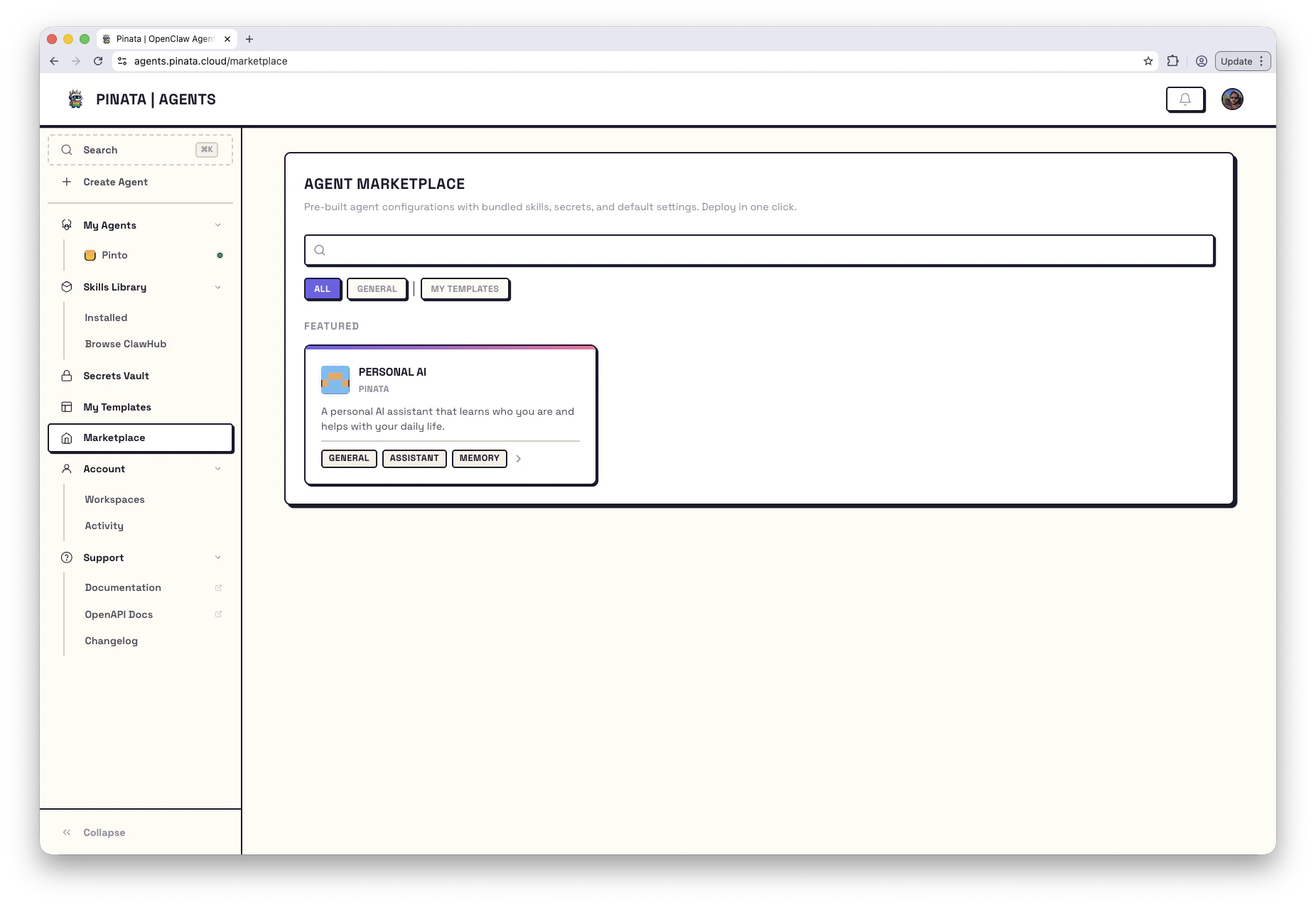
Find a Template
Browse templates in two places: Marketplace - Published templates ready to deploy. Filter by category (e.g., General) or search by name. Featured templates appear at the top. My Templates - Templates you’ve created or submitted. Create new templates by importing from a public GitHub or GitLab repo. Click any template to see what it does, what skills it includes, what secrets you’ll need to provide, and whether it includes pre-configured scheduled tasks.Deploy It
Once you’ve found a template you like:- Click Deploy This Agent
- Give your agent a name
- Add any secrets the template requires (usually just your LLM API key)
- Click Deploy
What About Secrets?
Most templates need at least an LLM provider key (likeANTHROPIC_API_KEY). Some need additional keys - a Telegram template needs your bot token, a trading template might need exchange API keys.
The template page shows exactly what’s required. If you haven’t added those secrets yet, you’ll be prompted during setup. Or add them ahead of time in your secrets vault.
Using the CLI
Create Your Own
Built something useful? Package it as a template and share it with others - or just use it to quickly spin up copies of your own agents.Creating Templates
Learn how to package your agent as a reusable template.
Reference Template
Clone this starter repo - it includes working examples of port forwarding, tasks, lifecycle scripts, and secrets.