

Browse Available Skills
Head to agents.pinata.cloud/skills to see what’s available. The All | Installed tab shows skills in your library. Switch to Browse ClawHub to find community skills made by others.Official Skills from Pinata
These are built and maintained by the Pinata team (look for the verified badge):- @pinata/api - Store and retrieve files from IPFS, use gateways, run vector searches
- @pinata/memory-salience - Help your agent remember what matters and forget what doesn’t
- @pinata/sqlite-sync - SQLite database with automatic Pinata backup
- @pinata/paraspace - Organize your agent’s workspace using the PARA method
- @pinata/erc-8004 - Register your agent on-chain
Community Skills
The Browse ClawHub tab has skills for all sorts of things - Obsidian integration, self-improvement loops, API gateways, and more. Each skill card shows the author, download count, star count, and current version. Pinata-verified skills (like@pinata/api) show a verified badge and appear in both your library and ClawHub. Community skills are contributed by users and sorted by popularity.
Use the search box to find skills by name.
Install a Skill
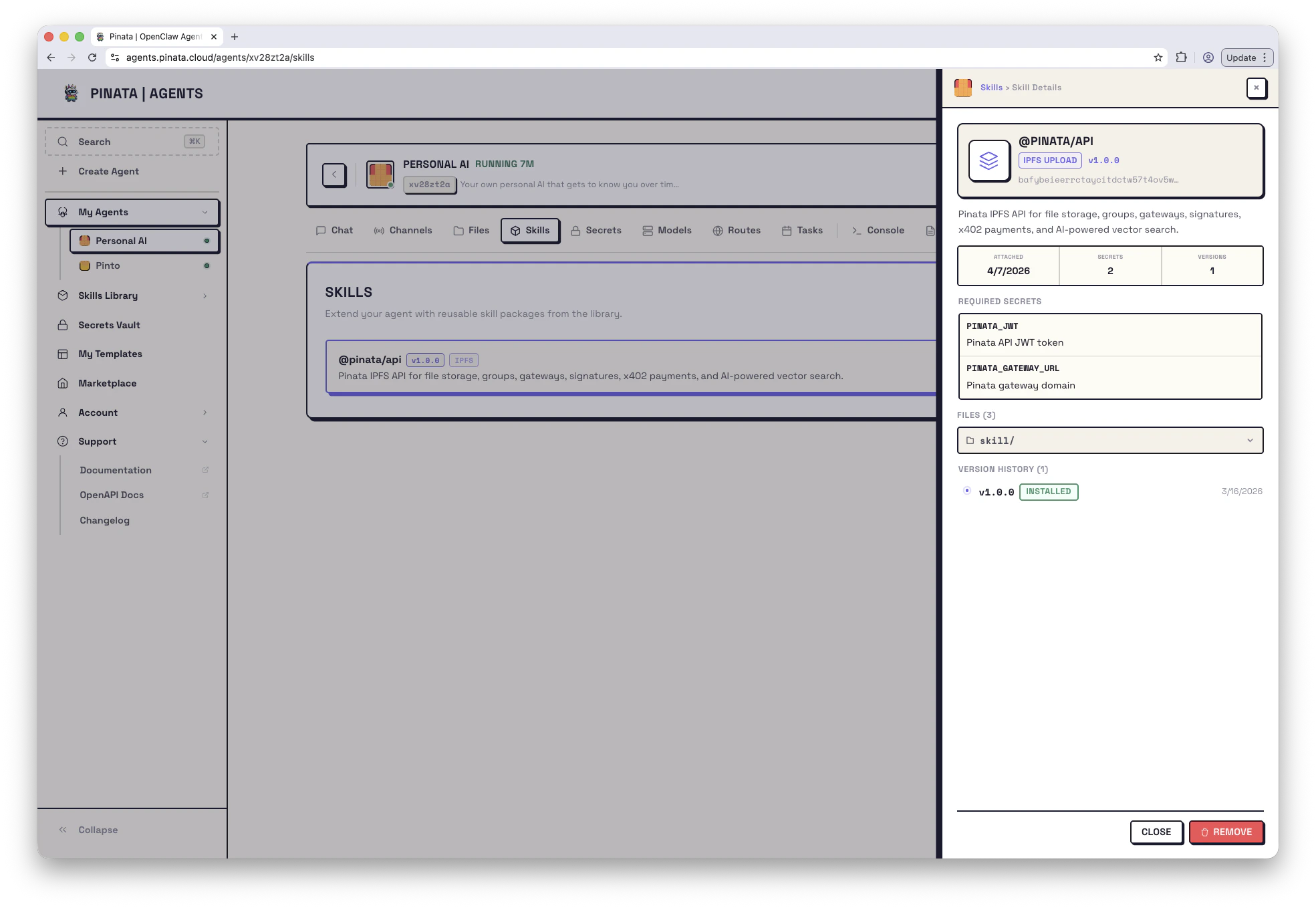
Click any skill to see its details - description, required secrets, files, and version history. If it looks useful, click Install. The skill gets added to your library. Installing doesn’t attach the skill to any agent - it just makes it available to use.Attach a Skill to an Agent
Once a skill is in your library, you can attach it to any of your agents. For new agents: Add skills in Step 2 (Workspace) of the creation wizard. For existing agents: Open the agent → Skills → + ADD → pick from your library. When you attach a skill, its files get copied into your agent’s workspace. Your agent can then read the skill’s instructions and use its code. Click any attached skill to open its detail drawer - you’ll see the description, required secrets, a file browser, and version history.Referencing Skills by Slug or CID
When you add skills through the CLI or in a template’smanifest.json, you can reference them by their ClawHub slug (like @pinata/api) or their IPFS CID. Slugs are the easier option for marketplace skills - they always resolve to the latest version.
Skill Versions
Skills use version numbers (likev1.0.0) so you can track changes over time. You’ll see the current version badge on each skill in your library and on attached skills.
Updating
Open your agent → Skills and click into a skill to see its version history. If a newer version exists, you can update to get the latest code and instructions. For ClawHub skills, updates pull the latest version from the marketplace automatically.Rolling Back
If an update causes issues, open the skill’s version history and select an earlier version to roll back to.Create Your Own Skill
Have something useful your agent knows how to do? Package it as a skill.- Create a folder with your skill files
- Add a
SKILL.mdfile with YAML frontmatter includingname,description, and optionally metadata (JSON with required env vars)
- In the Skills Library, click Upload Skill
- Choose your folder, enter a name and optional description
- Click Upload & Register
Skills are uploaded to the public IPFS network. Don’t include secrets or sensitive code.