

When You Need Routes
Common use cases:- Your agent runs a web app (React, Vue, etc.) and you want users to access it
- Your agent exposes an API that other services need to call
- You’re running a dev server with hot reload and need external access
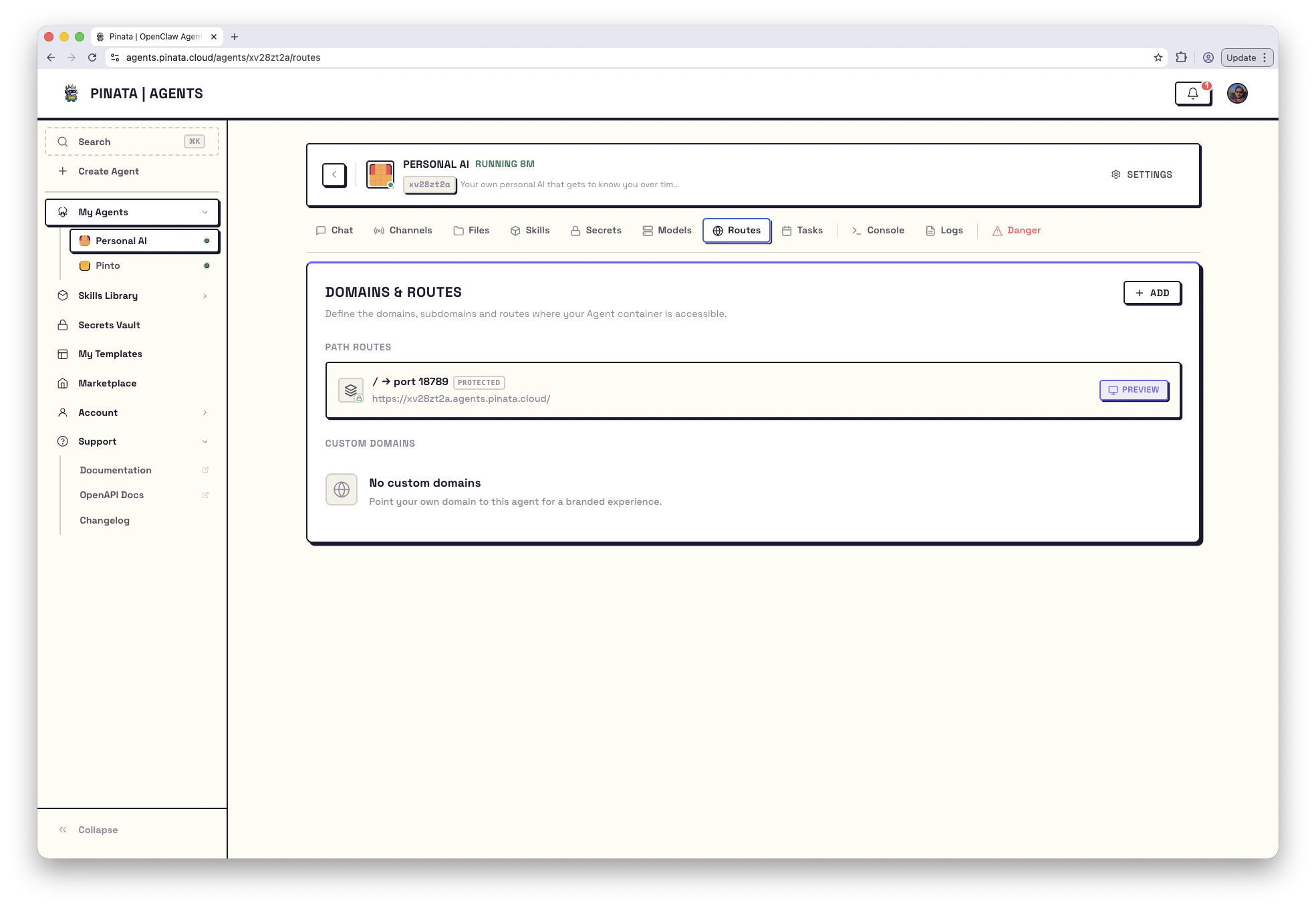
Add a Route
Open your agent → Routes → + ADD. You have two options: Path Route or Custom Domain.Path Routes
Path routes are the simplest option. Your service becomes available at a URL like:- Click + ADD → Path Route
- Enter the container port your service runs on
- Enter a path prefix (like
/appor/api) - Choose Public or Protected access
- Click Add Route
/app/users/123, your service sees /users/123.
Custom Domains
Custom domains are currently in beta.
glow-kite-520.apps.pinata.cloud) or let you use your own domain.
For a Pinata subdomain:
- Click + ADD → Subdomain tab
- Edit the generated subdomain name if you’d like (a random name is pre-filled)
- Enter the container port
- Choose Public or Protected access
- Click Register
- Click + ADD → Custom Domain tab
- Enter your domain (like
app.yourdomain.com) - Enter the container port
- You’ll receive a TXT record challenge - add a TXT record at
_pinata-verify.yourdomain.comwith the provided value - Save the domain registration
- Add a CNAME record pointing to the target shown after registration
- Click Verify to confirm ownership and provision SSL
The same domain always produces the same challenge token, so you only need to add the TXT record once even if you need to re-verify.
Editing and Removing Domains
Once a custom domain is created, you can update its target port and protected setting, but you cannot change the domain name or subdomain. To switch domains, delete and recreate.Protected vs Public
Protected routes require a gateway token to access. Use this when you want to control who can reach your service. Public routes are open to anyone on the internet. Only use this if your service handles its own authentication, or if you genuinely want it public. Both path routes and custom domains default to public. Set them to protected explicitly if you need access control.Limits
- Up to 10 path routes per agent
- Up to 5 custom domains per agent
- Ports must be between 1025 and 65535 (port 18789 is reserved)